Headshot Background: Ideas, Examples and How to Fix Yours.
The right headshot background can make you look more professional, trustworthy and approachable. Use this library of background guides to choose the style that fits your role, industry and personal brand – and learn how to fix a bad background without booking a studio.


headshot background
Headshot Background Guide: Best Backgrounds for Professional Photos
Learn how to choose the best headshot background: studio, outdoor, blurred, office and more. See examples, mistakes to avoid, and how to fix your background with AI.
Read guide →professional headshot background
Professional Headshot Background Ideas for LinkedIn and Business
See the best professional headshot background ideas for LinkedIn, websites and resumes. Learn what colors, locations and styles look most credible.
Read guide →blurred headshot background
Blurred Headshot Background: Get the Pro Look (+ Free AI Fix)
Create a soft, blurred headshot background that keeps focus on your face. Free AI tool to blur any busy background instantly. Tips and examples inside.
Read guide →grey headshot background
Grey Headshot Background: Classic, Neutral and Always Professional
See why a grey headshot background is the safest option for professional photos. Learn which shades of grey work best with your skin tone and wardrobe.
Read guide →outdoor headshot background
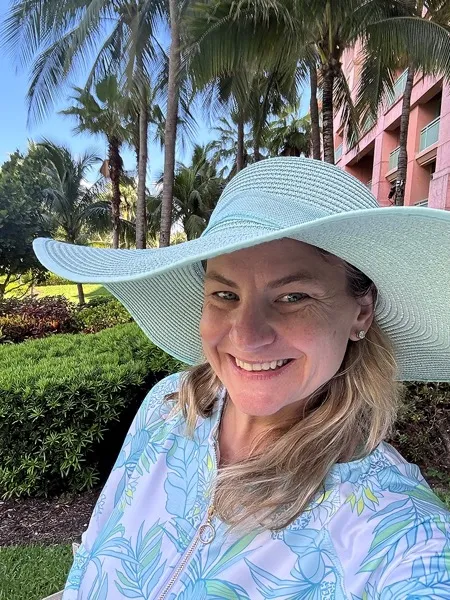
Outdoor Headshot Background: Best Ideas + Free AI Editor
Natural outdoor headshot backgrounds that look professional. Tips on locations, lighting and blur. Try our free AI background editor to fix any photo.
Read guide →linkedin headshot background
Best LinkedIn Headshot Background for More Profile Views (2026)
The right LinkedIn headshot background gets you more clicks. Best colors, styles and mistakes to avoid. Free AI background editor included.
Read guide →american flag headshot background
American Flag Headshot Background: Professional Guide + AI Editor
American flag headshot backgrounds for military, government and public service. Patriotic and professional, not cheesy. Free AI background editor included.
Read guide →headshot background office
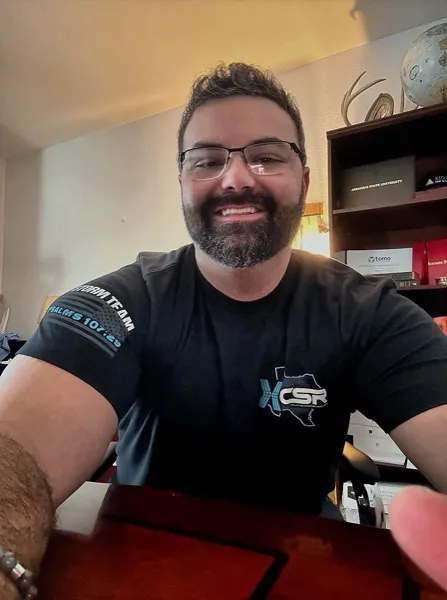
Office Headshot Background: Professional Look + Free AI Editor
Look corporate and polished even from home. Office headshot background ideas and a free AI editor to place you in a clean, professional setting.
Read guide →white headshot background
White Headshot Background: Clean, Bright and Always Professional
A white headshot background is the go-to choice for clean, professional photos. Learn when to use it, how to avoid looking washed out, and how to get one with AI.
Read guide →blue headshot background
Blue Headshot Background: Trustworthy, Calm and Professional
A blue headshot background signals trust and calm. See which shades work best for LinkedIn, corporate and business headshots, plus a free AI editor.
Read guide →studio headshot background
Studio Headshot Background: Get the Pro Studio Look (Without a Studio)
Get a studio-quality headshot background without booking a studio. Tips on lighting, backdrops and colors, plus a free AI tool to create one instantly.
Read guide →nature headshot background
Nature Headshot Background: Fresh, Approachable and Professional
Nature headshot backgrounds with greenery, trees or parks add personality to your professional photo. Tips on locations, blur, and a free AI background editor.
Read guide →plain headshot background
Plain Headshot Background: Simple, Clean and Always Works
A plain headshot background keeps the focus on your face. Best colors, how to avoid looking boring, and a free AI tool to get one instantly.
Read guide →abstract headshot background
Abstract Headshot Background: Modern, Creative and Eye-Catching
Abstract headshot backgrounds add a creative, modern touch to your professional photo. Best styles, when to use them, and a free AI background editor.
Read guide →